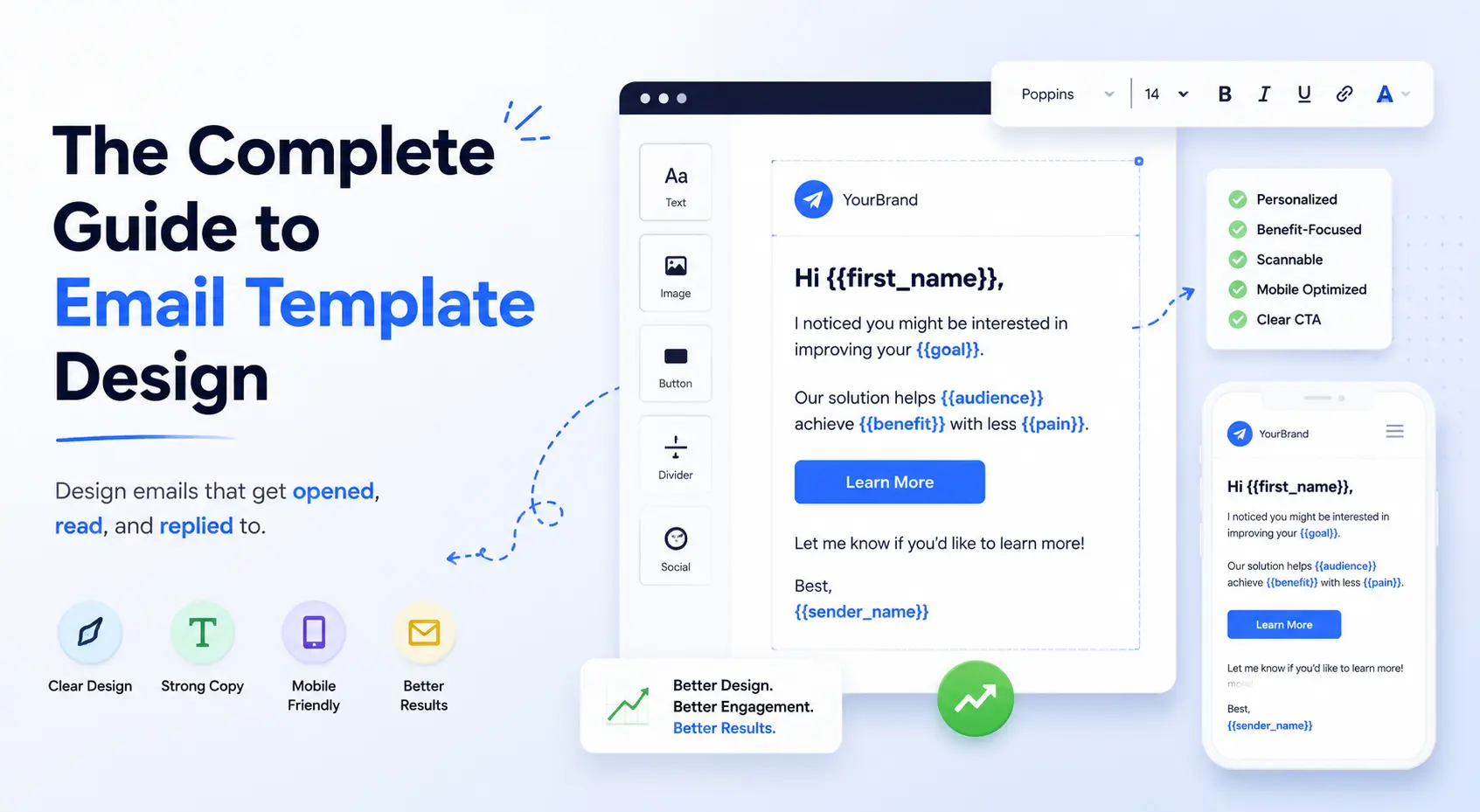
The Complete Guide to
Email Template Design
Design, spam control, link problems, UTM tracking, AI tools, top template websites, and file size optimization — everything in one complete guide.
1. How to Design an Email Template
A great email template is not about making it look beautiful — it is about making it perform. Every design decision must serve the goal of getting the subscriber to click your CTA. Here is the complete step-by-step process.

Figure 1: Complete email template anatomy — every section with exact size specifications for 2026
Step-by-Step Design Process
Define Your Goal First
Before opening any design tool, write one sentence: "This email will get the reader to ___." Every design element — headline, image, button — must serve that single goal. One email = one goal = one CTA.
Set Your Canvas — Always 600px Wide
600px is the universal standard. Set your canvas to 600px wide in Canva, Figma, Adobe XD, or your email builder. Mobile will stack the template to a single column automatically. Never go wider than 650px.
Build the Header — Logo + Brand Color
Header height: 80–100px. Place your logo centred or left-aligned. Use your primary brand color as background (for Boundless: #E61E1E red or #323232 charcoal). Height consistency across all emails builds recognition.
Write the Subject Line + Preheader First
Subject line: max 50 characters. Preheader (the grey text after subject in inbox): 85–100 characters. These are the most important elements — 47% of recipients decide to open based on subject line alone. Write these before designing.
Add Hero Image — 600×300px Maximum
The hero image is the visual hook below your header. Keep it under 150KB. Use JPEG for photos, PNG for graphics with text. Always add descriptive alt text — 40% of email clients block images by default. Never put critical information inside images.
Write Inline CSS — No External Stylesheets
Email clients strip external CSS and <style> blocks. Every style must be written inline: style="font-size:16px;color:#323232;font-family:Arial,sans-serif". Use table-based layouts for Outlook compatibility.
Design the CTA Button — Red, Minimum 200px Wide
Use an HTML button — never an image button. Images get blocked. Button: background #E61E1E, white text, 14px padding top/bottom, 32px left/right, 8px border-radius, minimum 200px wide, full-width on mobile. Use action verbs: "Get My Free Quote" not "Click Here".
Build the Footer — Legal Requirement
Footer must include: your company name and address, unsubscribe link (legally required in Pakistan for commercial emails), social media icons, and optionally a "View in browser" link. Footer background: use a light grey or your dark brand color.
Test Across Clients Before Sending
Test in: Gmail (desktop + mobile), Outlook 2019+, Apple Mail, Yahoo Mail, and Samsung Email. Use Litmus or Email on Acid for automated cross-client testing. Always send a test to yourself first and read it as a new subscriber would.
Design for the worst case — images blocked, CSS stripped, plain-text fallback. If your email still communicates its value when images are off and only text is visible, you have designed it correctly.
Typography Rules for Email
| Element | Font | Size | Color | Notes |
|---|---|---|---|---|
| H1 Headline | Arial Bold / Georgia | 28–32px | #323232 | Brand color for key word |
| H2 Subheading | Arial Bold | 22–24px | #E61E1E | Max 1–2 per email |
| Body Text | Arial / Verdana | 15–16px | #5A5A5A | Line-height: 1.75 |
| CTA Button | Arial Bold | 15–16px | #FFFFFF | On red background |
| Footer Text | Arial | 12–13px | #888888 | Legal compliance text |
| Preheader | N/A (inbox only) | N/A | N/A | Hidden in email body |
2. How to Control Spam in Email Content
Spam filters score every email before delivering it. Your email is judged on content, structure, sender reputation, and technical setup. A score above 5.0 in SpamAssassin means your email will likely land in spam regardless of how good your design is.

Figure 2: Spam score categories — words and patterns that trigger spam filters in 2026
Spam Control Checklist
| Category | Rule | Why It Matters |
|---|---|---|
| Subject Line | Never use ALL CAPS or multiple !!! or ??? | Instant spam signal — increases score by 2–4 points |
| Subject Line | Avoid "Free", "Winner", "Guaranteed", "No cost" | Classic spam trigger words flagged by all major filters |
| Content | Maintain 60% text / 40% image ratio | Image-only emails are blocked — filters cannot read images |
| Content | No coloured text (red, green) in body copy | Coloured text increases spam score significantly |
| Links | Do not hyperlink every word | Too many links raises spam score |
| Links | Never use URL shorteners (bit.ly, tinyurl) | Spam filters flag shortened URLs as suspicious |
| Technical | Set up SPF, DKIM, and DMARC on sending domain | Without these, Gmail routes emails to spam regardless of content |
| Technical | Warm your domain before high volume sends | New domains with no history get spam-filtered automatically |
| List | Verify emails before sending — keep bounce rate under 2% | High bounce rate damages sender reputation permanently |
| List | Include unsubscribe link in every email | Legally required. Missing it triggers spam complaints. |
| Volume | Do not send same email to entire list at once | Stagger sends — 25–30% per batch over several hours |
| Testing | Test with Mail Tester (mail-tester.com) before every send | Free tool that scores your email and shows exact issues |
Many Pakistani businesses buy email lists from third parties. Never do this. Sending to purchased lists causes immediate spam complaints, blacklisting, and permanent domain reputation damage. Build your list organically through your website, social media, and in-person events only.
3. Problems of Links in Email Templates
Links in emails are one of the most misunderstood elements. Most senders add links without thinking about deliverability, tracking, or mobile usability — then wonder why click rates are low or emails go to spam.
4. Top 10 Email Template Websites (Paid)
These platforms offer professional, tested, and highly customisable email templates — some with full drag-and-drop builders included.
5. Top 10 Free Email Template Websites
These resources provide completely free, professional, responsive email templates you can download, customise, and use immediately — no subscription required.
6. How to Design Email Templates with AI
AI tools have transformed email template creation. What used to take a designer 4–6 hours can now be prototyped in 15–20 minutes using AI. Here is how to use each major AI tool effectively for email design.
Use this structure for any AI tool: "Create an HTML email template for [company type] in [city/country]. Primary color: [hex]. Goal: [one action]. Include: [header with logo placeholder / hero image / H1 headline / 2–3 body paragraphs / CTA button saying '[button text]' / footer with unsubscribe link]. Use inline CSS only. Make it Outlook and Gmail compatible. Width: 600px."
Step-by-Step: Build an Email Template Using Claude
Start a new Claude conversation
Go to claude.ai and start a new chat. Claude works best with clear, specific prompts.
Provide your brand details
Tell Claude: your company name, primary color (hex code), font preference, and the goal of the email. The more specific, the better the output.
Request inline CSS and table-based layout
Explicitly say "use inline CSS only, table-based layout, Outlook compatible" — without this, Claude may generate CSS that breaks in Outlook.
Copy the HTML output
Copy the generated HTML and paste into your email platform's HTML editor (Mailchimp, Brevo, HubSpot). Preview immediately.
Request refinements in the same chat
Ask Claude to adjust: "Make the CTA button bigger", "Change font size to 16px", "Add a second section with 3 bullet points". Claude refines in the same conversation.
7. UTM Parameters — Definition & Importance
UTM (Urchin Tracking Module) parameters are tags you add to URLs in your emails so Google Analytics can identify exactly which email, campaign, and link drove each click and conversion.

Figure 3: The 5 UTM parameters explained with examples — and a sample UTM URL at the bottom
The 5 UTM Parameters Explained
| Parameter | What It Tracks | Example Value | When to Use |
|---|---|---|---|
| utm_source | WHERE traffic came from | newsletter, mailchimp, brevo | Always required |
| utm_medium | The MARKETING CHANNEL type | email, cpc, social, banner | Always required |
| utm_campaign | SPECIFIC campaign name | ramadan_2026, june_newsletter | Always required |
| utm_content | WHICH LINK was clicked | cta_button_top, logo, text_link | When A/B testing CTAs |
| utm_term | PAID KEYWORDS (PPC only) | web_design_karachi | Paid search ads only |
UTM URL Builder — Live Example
Build Your UTM URL
Without UTM parameters, all your email traffic shows up in Google Analytics as "Direct" traffic — completely invisible. You cannot prove email ROI to clients or management without UTM data. Every PKR spent on email marketing becomes unmeasurable. Add UTM to every link in every email — no exceptions.
8. How to Track UTM in Google Analytics
Step 1 — Access Acquisition Reports
In Google Analytics 4, go to: Reports → Acquisition → Traffic Acquisition. Change the primary dimension to "Session source / medium". All your email UTM data appears here grouped by utm_source and utm_medium.
Step 2 — Filter for Email Traffic Only
In the search bar above the table, type "medium = email" to see only email campaign traffic. You will see each campaign name (utm_campaign), click volume, sessions, conversion rate, and revenue if e-commerce tracking is enabled.
Step 3 — Campaign Performance Report
Go to: Reports → Acquisition → Traffic Acquisition → change dimension to "Session campaign". This shows each utm_campaign value with full performance data — which campaign drove the most conversions.
Step 4 — Set Up Conversion Tracking
To see which emails drove actual leads or sales, set up GA4 conversion events: contact form submission, purchase completion, or phone call click. Once set, UTM data will show which email campaign drove which conversions — giving you true email ROI.
UTM Naming Conventions — Keep These Consistent
Always use lowercase only — "Email" and "email" are different in GA4.
Use underscores not spaces or hyphens: june_2026 not june-2026 not june 2026.
utm_source: always the tool name: mailchimp / brevo / mailerlite / hubspot
utm_medium: always: email (never "Email" or "EMAIL")
utm_campaign: month_year_type: june_2026_newsletter or ramadan_2026_promo
utm_content: position_type: cta_top / logo_header / text_link_body / cta_bottom
9. Email File Size Optimization
Gmail clips emails over 102KB — showing a "View entire message" link instead of your full email. This means your CTA may never be seen. Outlook and Apple Mail also perform worse with large emails. Keep your total email under 500KB at all times.

Figure 4: Email file size optimization — targets for each element and the safe/danger zones
Size Targets Per Element
| Element | Target Size | Max Allowed | Optimization Tool |
|---|---|---|---|
| Total email (HTML + images) | Under 300KB | 500KB (Gmail clips above 102KB HTML) | Email on Acid, Litmus |
| HTML file only | Under 60KB | 102KB (Gmail clips here) | HTML Minifier, CleanCSS |
| Hero image | Under 80KB | 150KB | TinyPNG, Squoosh, Compressor.io |
| Logo image | Under 20KB | 50KB | TinyPNG, SVGO for SVG |
| GIF animation | Under 300KB | 500KB | Ezgif.com, Photoshop Save for Web |
| Total images combined | Under 200KB | 400KB | TinyPNG bulk compress |
| Number of images | 2–3 maximum | 5 maximum | Remove decorative images |
5 Quick Wins for Smaller Email Files
Host Images Externally — Never Attach
Never embed images inside the email as base64 or attachments. Host all images on your server or CDN and reference them with <img src="https://...">. This keeps HTML file size tiny.
Compress Every Image Before Uploading
Run every image through TinyPNG.com or Squoosh.app before uploading to your email platform. A 400KB JPEG can often be compressed to 60KB with no visible quality loss.
Remove Unused CSS and Comments
Minify your HTML email code. Remove all HTML comments, unnecessary spaces, and unused style properties. A minifier tool can reduce HTML file size by 20–40%.
Never Use Web Fonts — Use System Fonts
Custom web fonts (@font-face) add 100–300KB per font to your email. Use system-safe fonts instead: Arial, Verdana, Georgia, Times New Roman, Courier New. They load instantly on all devices.
Use a Single Column Layout
Multi-column layouts require more HTML table code, more divs, and more CSS — all increasing file size. Single column is also better for mobile. Keep it simple: simpler layouts = smaller files = better performance.
Need Professional Email Templates for Your Business?
Boundless Technologies designs branded, optimised, spam-tested email templates for Pakistani businesses — with UTM tracking, mobile responsiveness, and full Outlook compatibility.
Get a Free Email Template Audit → Free consultation · 24-hour turnaround · Karachi, Lahore, Islamabad