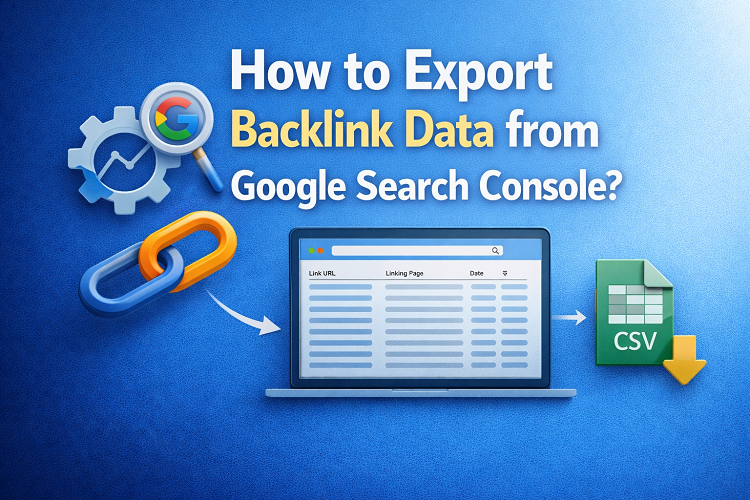
Backlinks—links from other websites pointing to your site—remain one of the most powerful ranking signals in SEO. Search engines like Google treat backlinks as votes of trust and authority, meaning the more high-quality links your site earns, the better your chances of ranking higher in search results.
Google Search Console (GSC) provides a detailed report of all external websites linking to your domain, making it a valuable tool for SEO analysis, competitor research, and link-building strategy. In this guide, we’ll walk you through the simple steps to export your backlink data directly from Google Search Console.
Step 1: Open the Links Report in Google Search Console
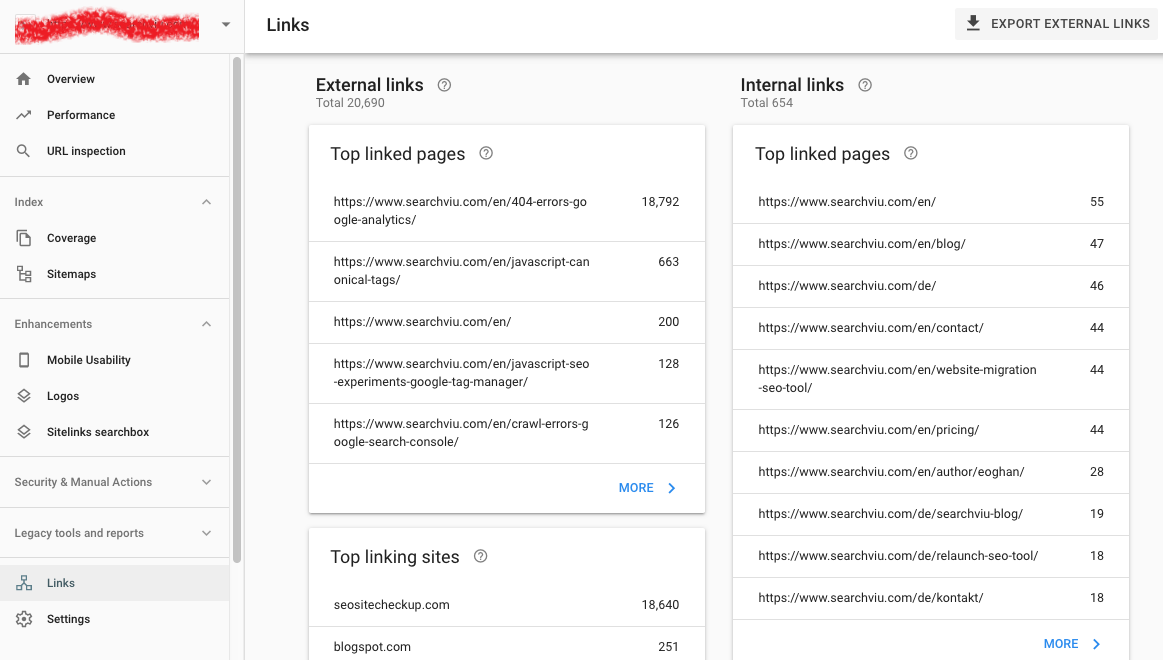
Start by logging into your Google Search Console account. Once inside your property dashboard, look at the left-hand sidebar menu and click on “Links.”
This section gives you a complete overview of both external and internal links associated with your website. Here, you can see:
- Top linking sites
- Top linked pages
- Most linked content
- Anchor text used in backlinks
Choose Top SEO Agency in Karachi
Contact us now and let's embark on the journey to online success together!
Step 2: Export Your External Links Data
On the Links report page, navigate to the upper-right corner and click on “Export External Links.”
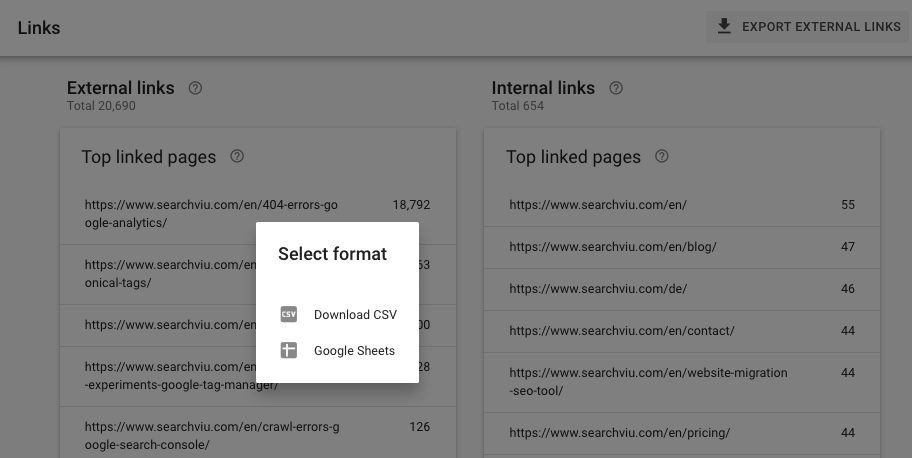
A pop-up will appear giving you two options:
- More sample links – a broader dataset with a wider variety of backlinks
- Latest links – the most recent links Google has discovered
For deeper analysis, it is recommended to choose “More sample links”, as it provides a more comprehensive list of your backlink profile.
You will then be asked how you want to access the data:
- Download as CSV file (best for Excel or Google Sheets)
- Open directly in Google Sheets
Select your preferred format and save the file for further analysis.
Why Exporting Backlink Data Matters for SEO
By exporting and reviewing your backlinks, you can:
- Identify high-quality referring domains
- Spot spammy or toxic links that may harm your rankings
- Discover new outreach and partnership opportunities
- Track your link-building progress over time
- Analyze competitors’ backlink patterns
Regularly monitoring your backlink profile helps you maintain a healthy SEO strategy and stay ahead in search rankings.
Choose Top SEO Agency in Karachi
Contact us now and let's embark on the journey to online success together!