Make a Pixel on TikTok
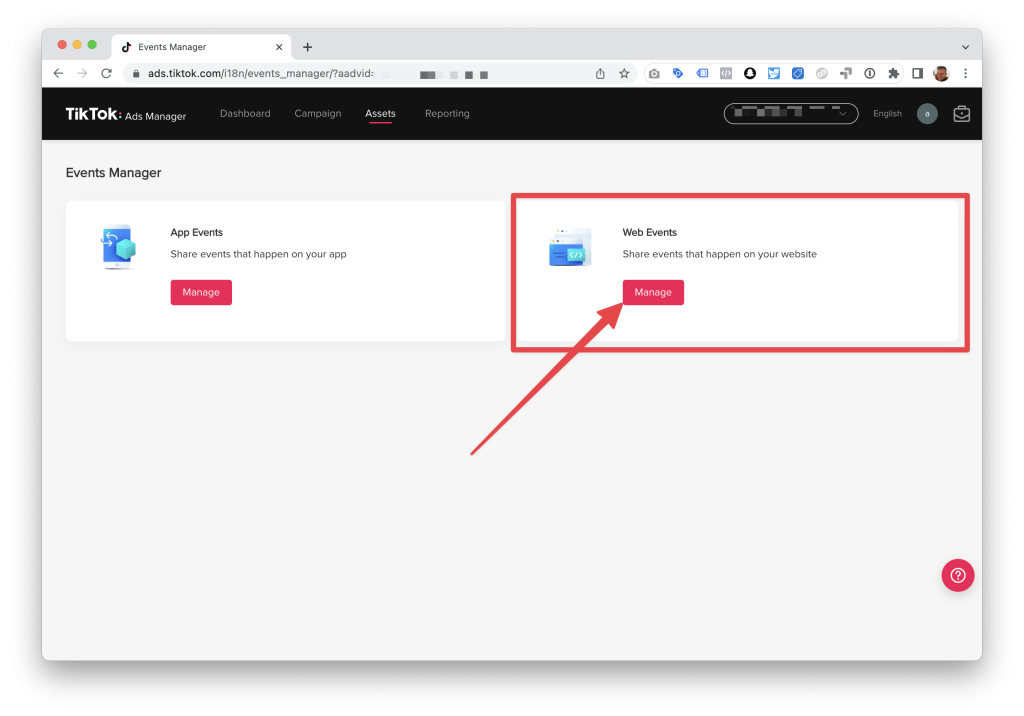
- Launch TikTok Ads Manager, then select Assets > Event from the menu.
- Click Manage in the Web Events section.
- Select “Set Up Web Events.”
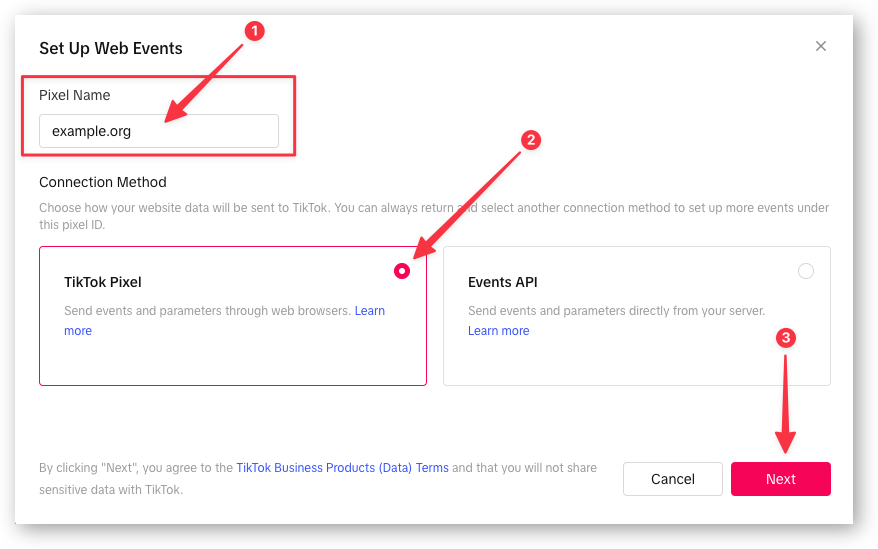
- Choose TikTok Pixel as your connection option and give your new pixel a Pixel Name before clicking Next.
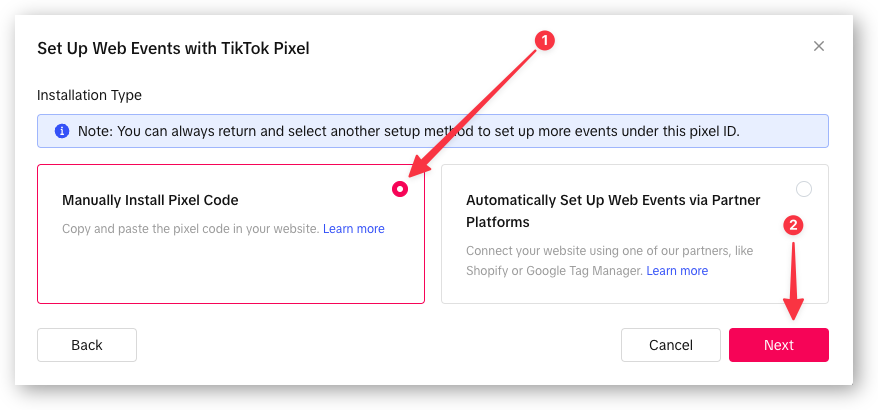
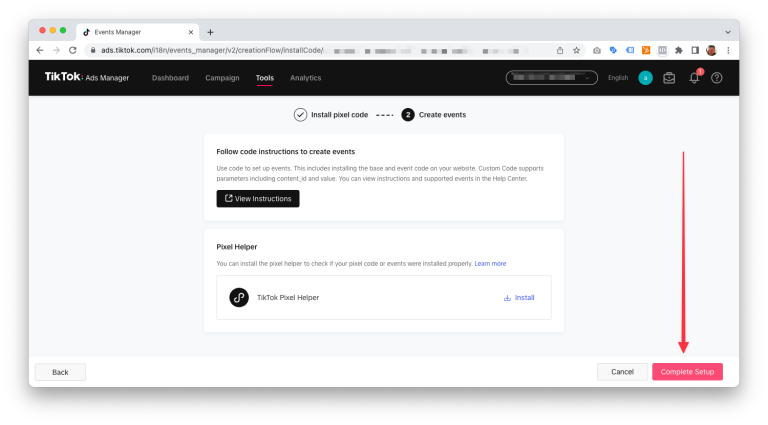
- Select Install Pixel Code Manually and Proceed
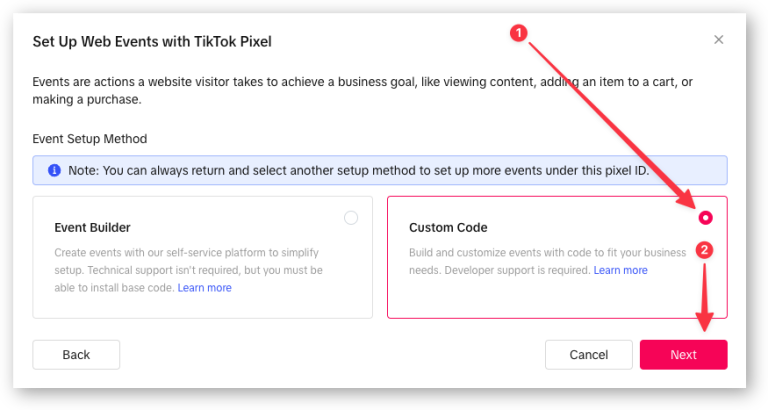
- Select Custom Code in Event Setup Mode, then Next
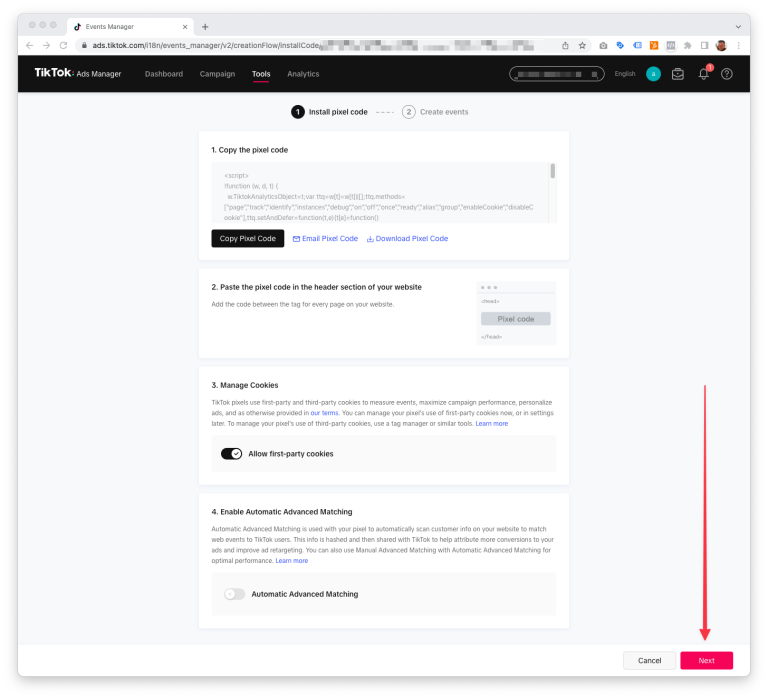
- Click Next on the following screen.
Choose Top TikTok Marketing Services in Karachi
Contact us now and let's embark on the journey to online success together!
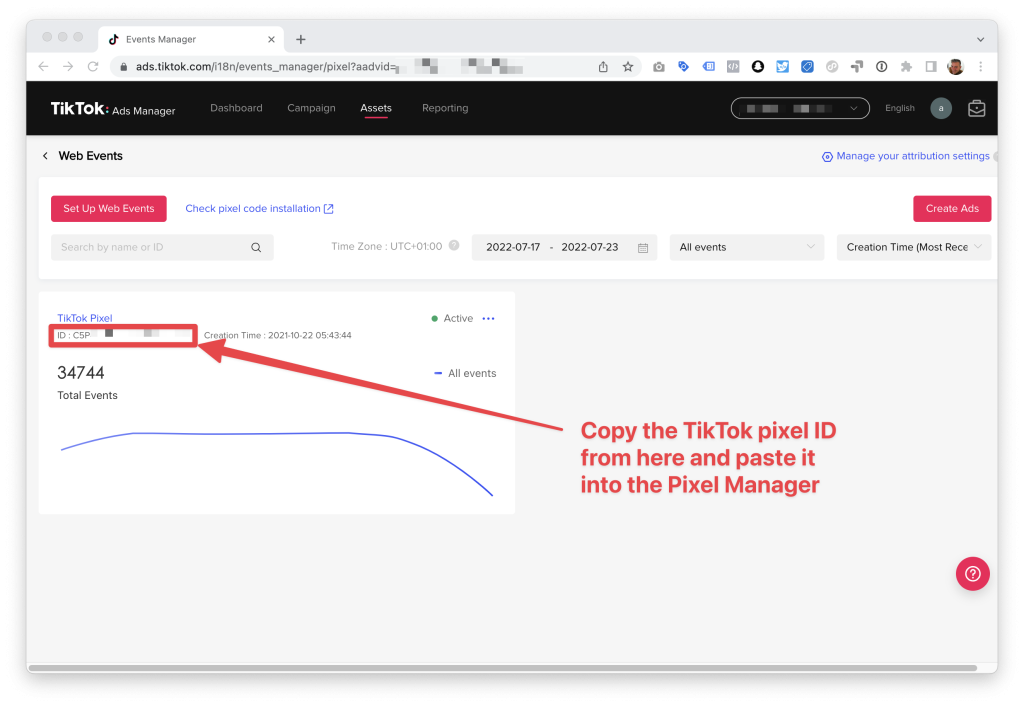
Set up the TikTok pixel ID in the Pixel Manager after obtaining it.
- Launch the Ads Manager on TikTok.
- Select > Assets > Events from the menu.
- Decide to oversee Web Events
- Paste the TikTok pixel ID into the Pixel Manager after copying it.
- Done, you are prepared. E-commerce events will now be sent to the TikTok advertising platform by the Pixel Manager.
Choose Top TikTok Marketing Services in Karachi
Contact us now and let's embark on the journey to online success together!