Meta has gradually expanded analytics support for Threads, making it easier for users to measure performance and audience behavior. Threads Insights was first introduced on desktop in August 2024, followed by a full mobile rollout in January 2025.
One of the key advantages of Threads analyticsis accessibility. You don’t need a business or creator account to view insights. However, your account must have at least 100 followers to unlock the analytics dashboard.
Below is a step-by-step guide to accessing Threads Insights on the web.
How to View Threads Analytics on Desktop
Start by logging into Threads through the web app. Once you’re signed in, follow these steps:
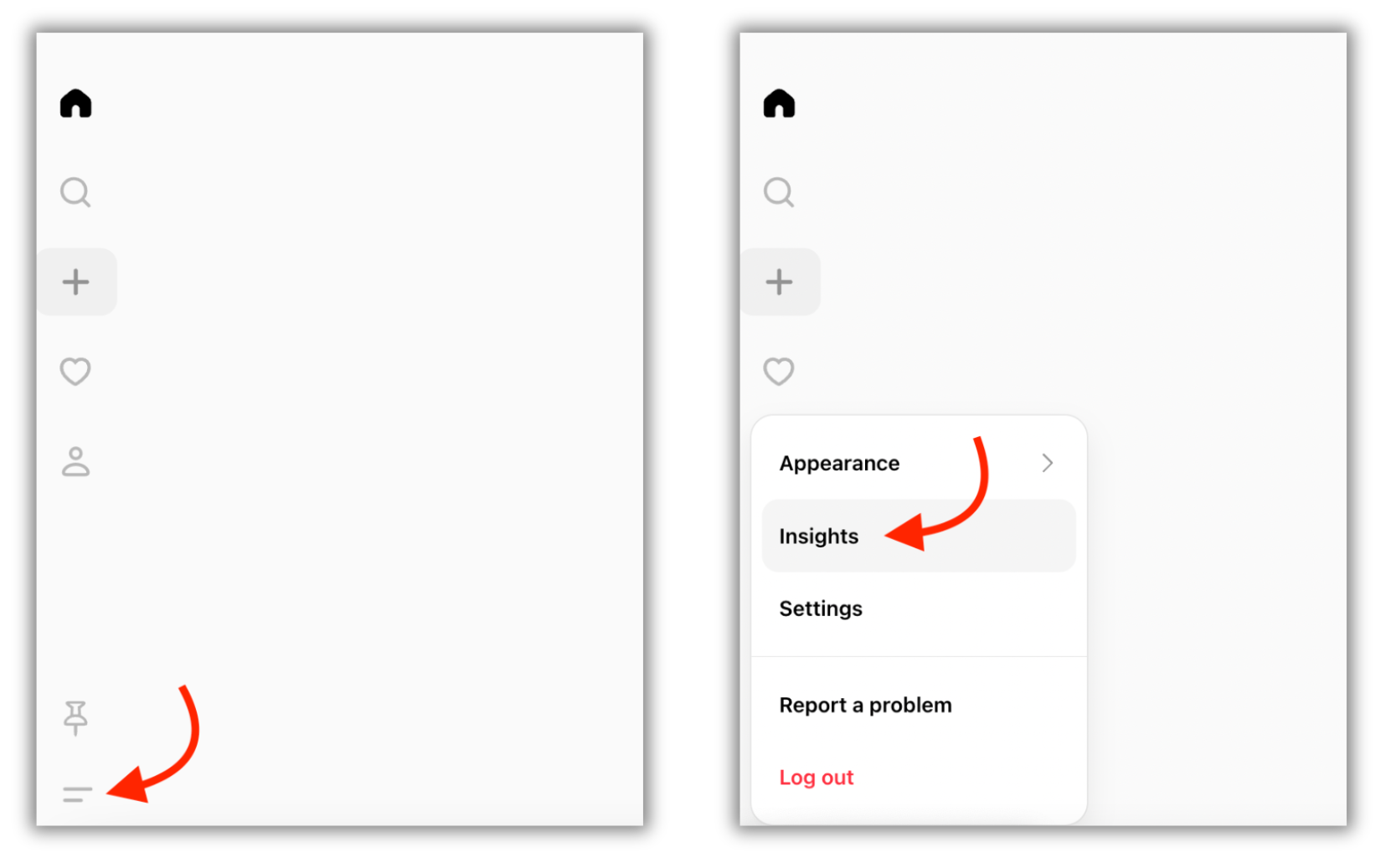
1. Locate the More option at the bottom-left corner of the screen.
2. Click on it and select Insights from the menu. This will open your Threads analytics dashboard.
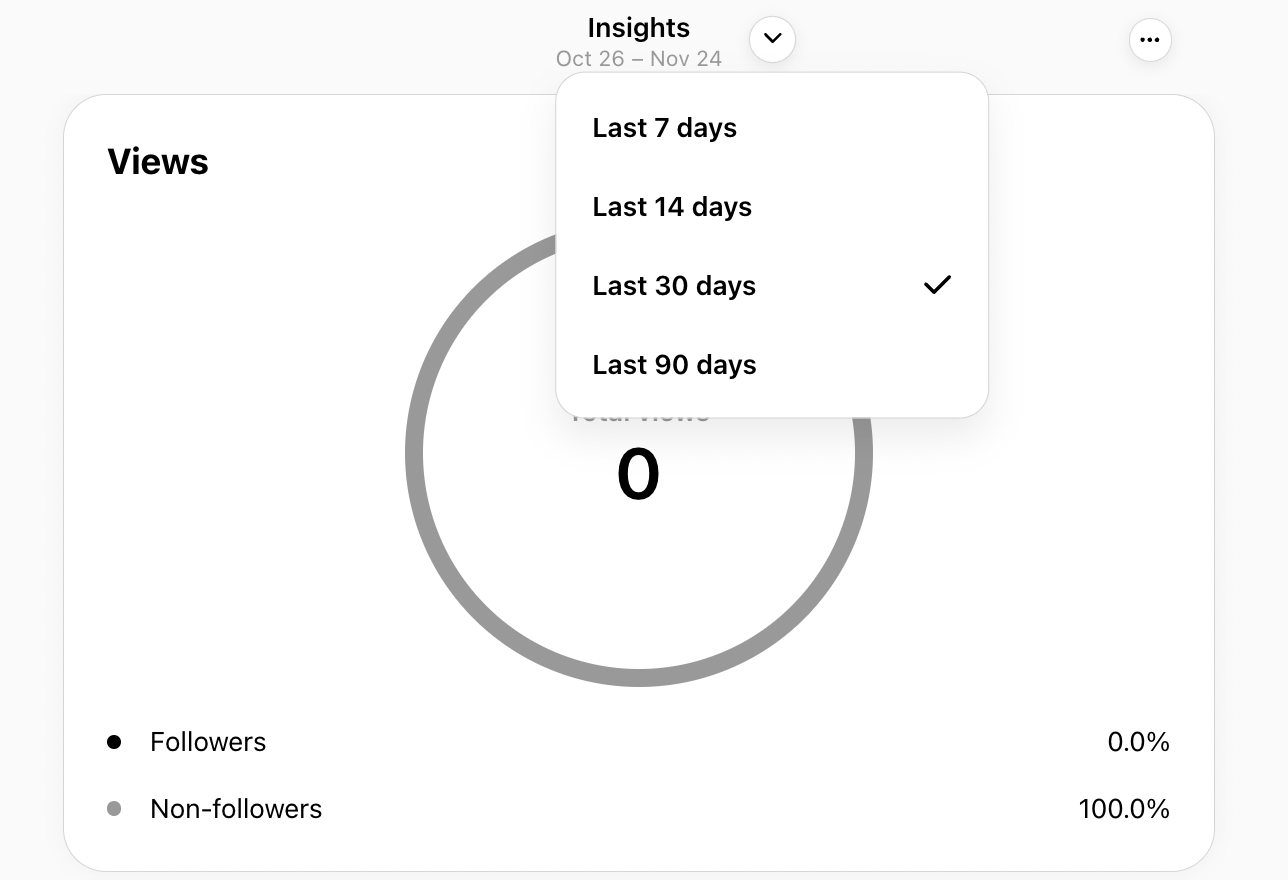
3. By default, Threads displays performance data for the last 30 days. To adjust this, click the time-range drop-down at the top of the dashboard.
4. You can choose to analyze data from the past 7, 14, 30, or 90 days. At present, Threads does not support custom date ranges.
5. Scroll down the page to explore detailed insights, including:
Profile and post views
Content interactions
Follower growth trends
Audience demographics
Each section provides a snapshot of how your content is performing and how users are engaging with your profile.
Choose Top Digital Marketing Agency in Karachi
Contact us now and let's embark on the journey to online success together!