How to Find High-Value Keywords from Google Search Console?
How to Find High-Value Keywords from Google Search Console?
High-value keywords are the search terms that already bring consistent organic traffic to your website. Tracking and protecting these keywords is essential because even small ranking drops can lead to noticeable traffic losses. Google Search Console makes it easy to uncover these terms using real search performance data.
Step 1: Open the Search Results Report
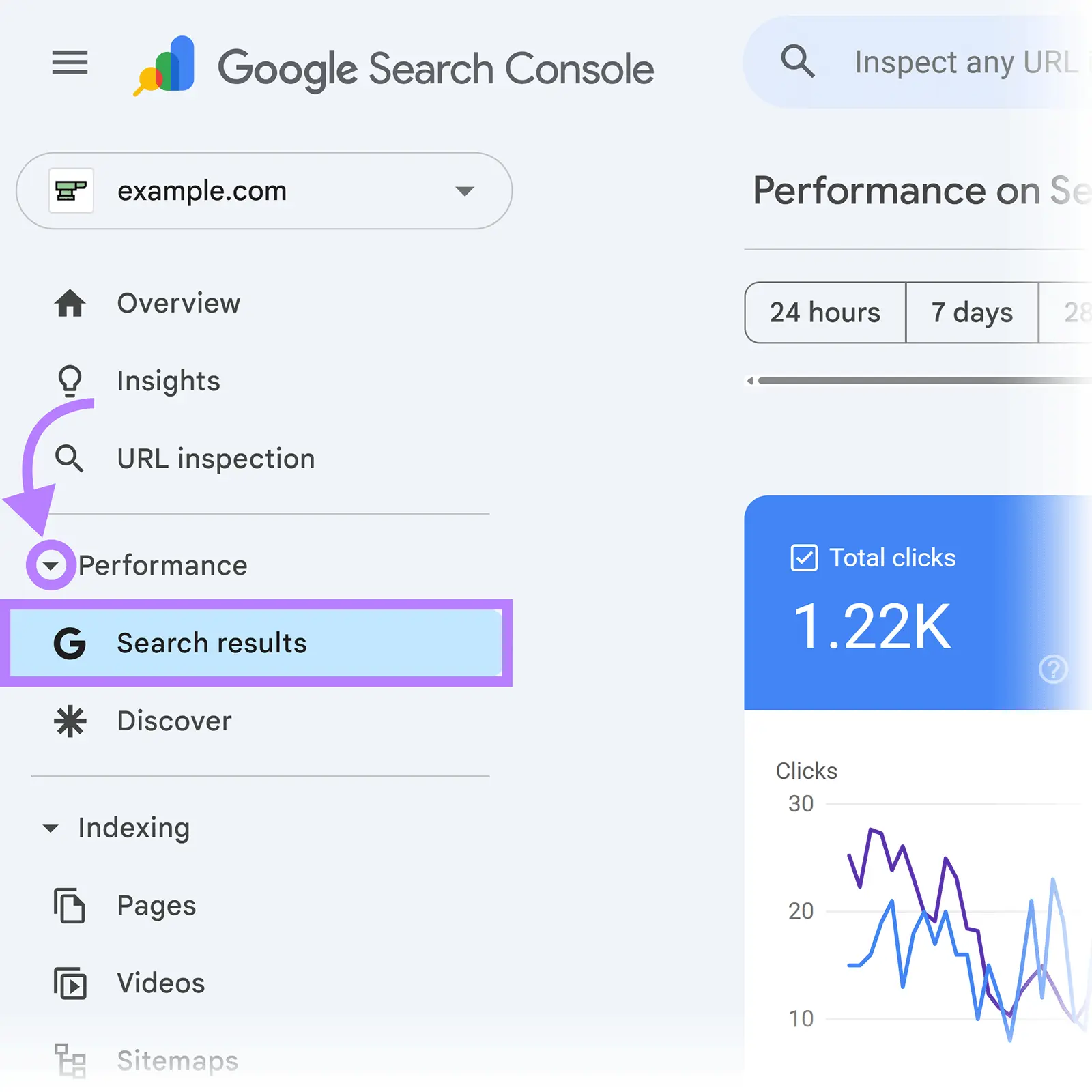
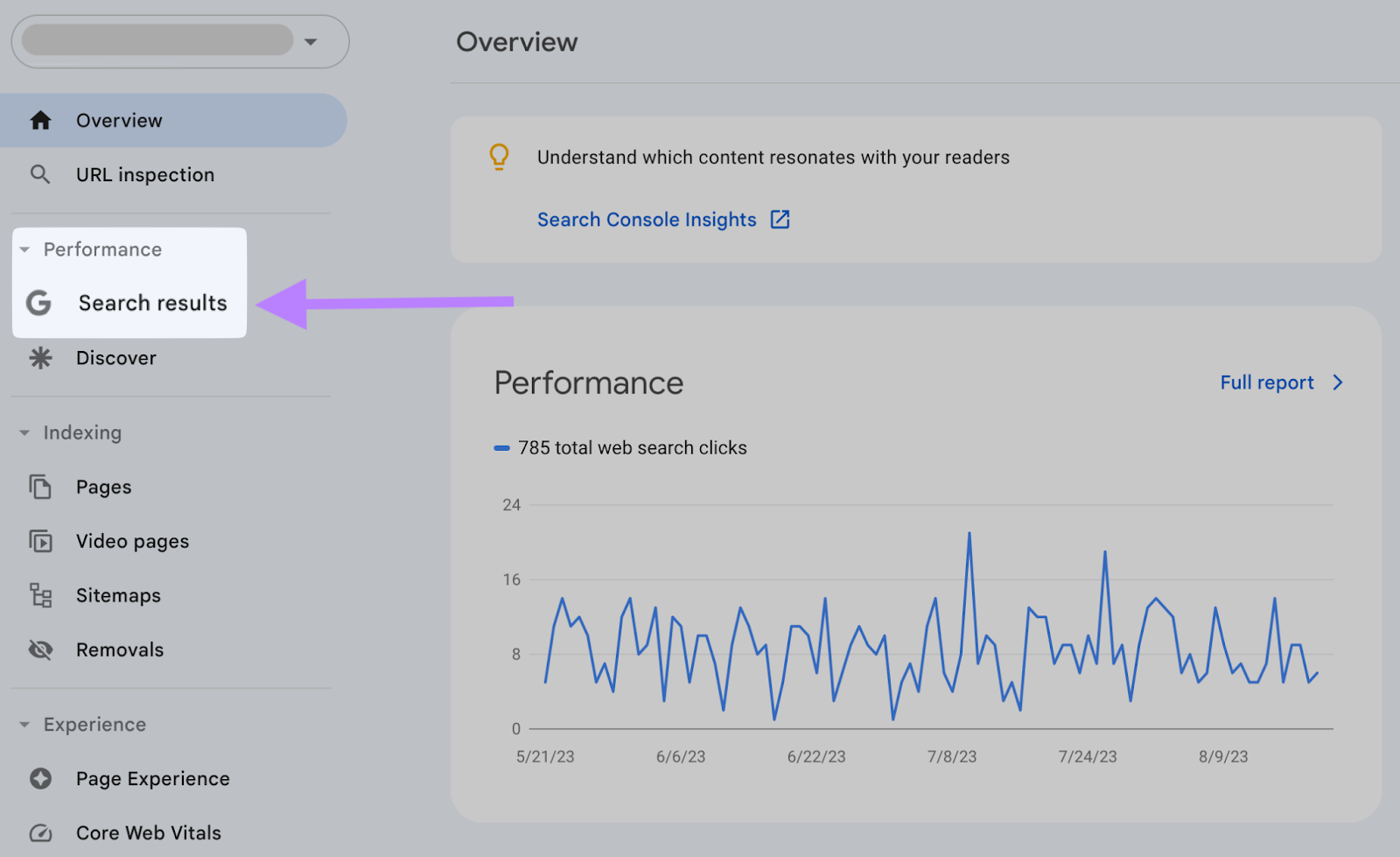
Start by logging into Google Search Console and selecting your website property. From the left-hand navigation menu, click on Search results. This report provides a complete overview of how your site performs in Google Search.
Step 2: Analyze Keyword Data in the Queries Tab
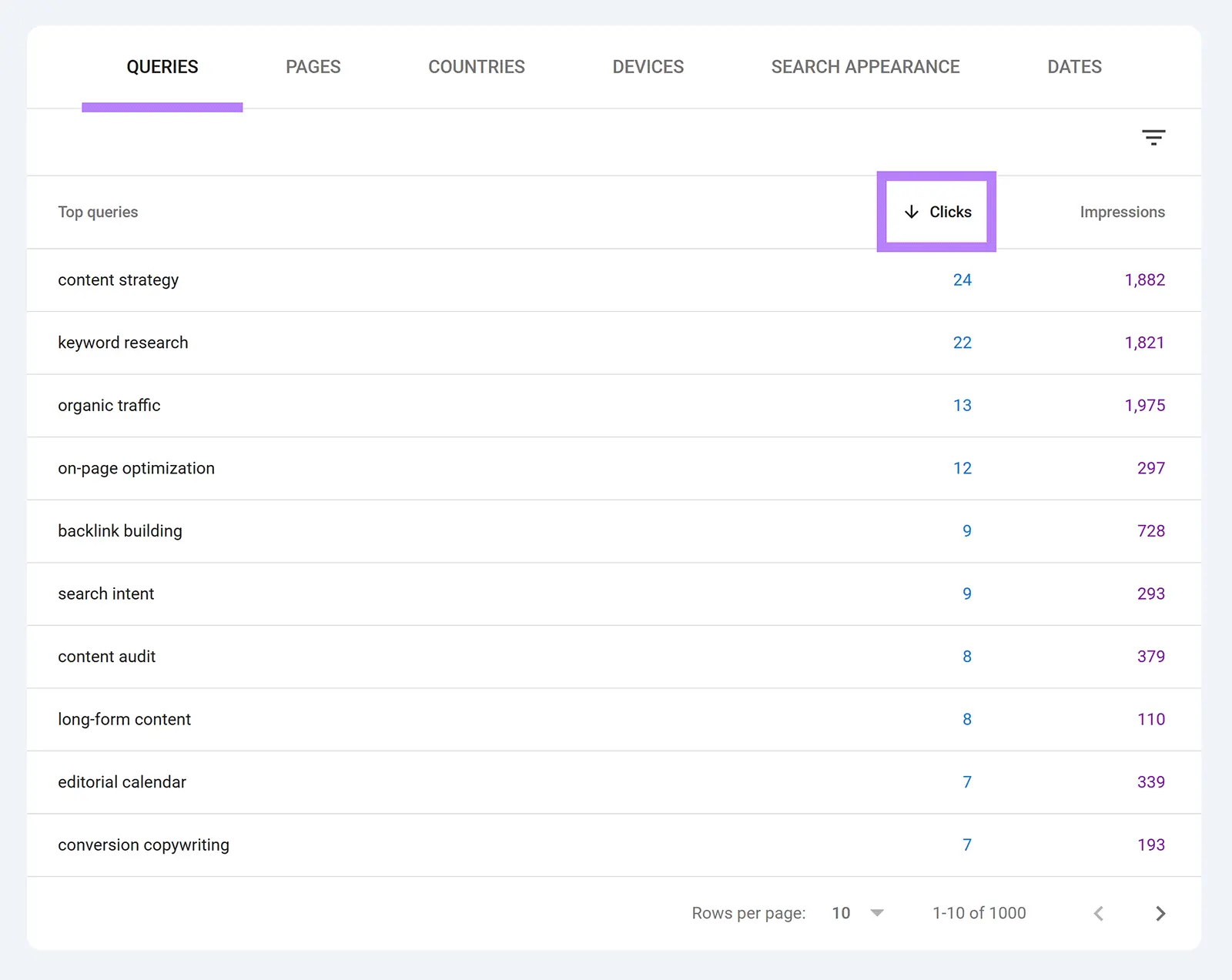
Scroll down to the Queries section at the bottom of the report. This area lists all the search terms that generate impressions and clicks for your site.
To identify your strongest keywords, click on the Clicks column header. This sorts the queries from highest to lowest traffic, helping you quickly spot the terms that contribute the most visits.
Choose Top SEO Agency in Karachi
Contact us now and let's embark on the journey to online success together!
Focus on the top 20 to 50 keywords by clicks. These terms represent your highest-impact organic visibility and often account for a significant share of total traffic. Any decline in their rankings can directly affect your site’s performance.
Step 4: Export and Track Keyword Performance
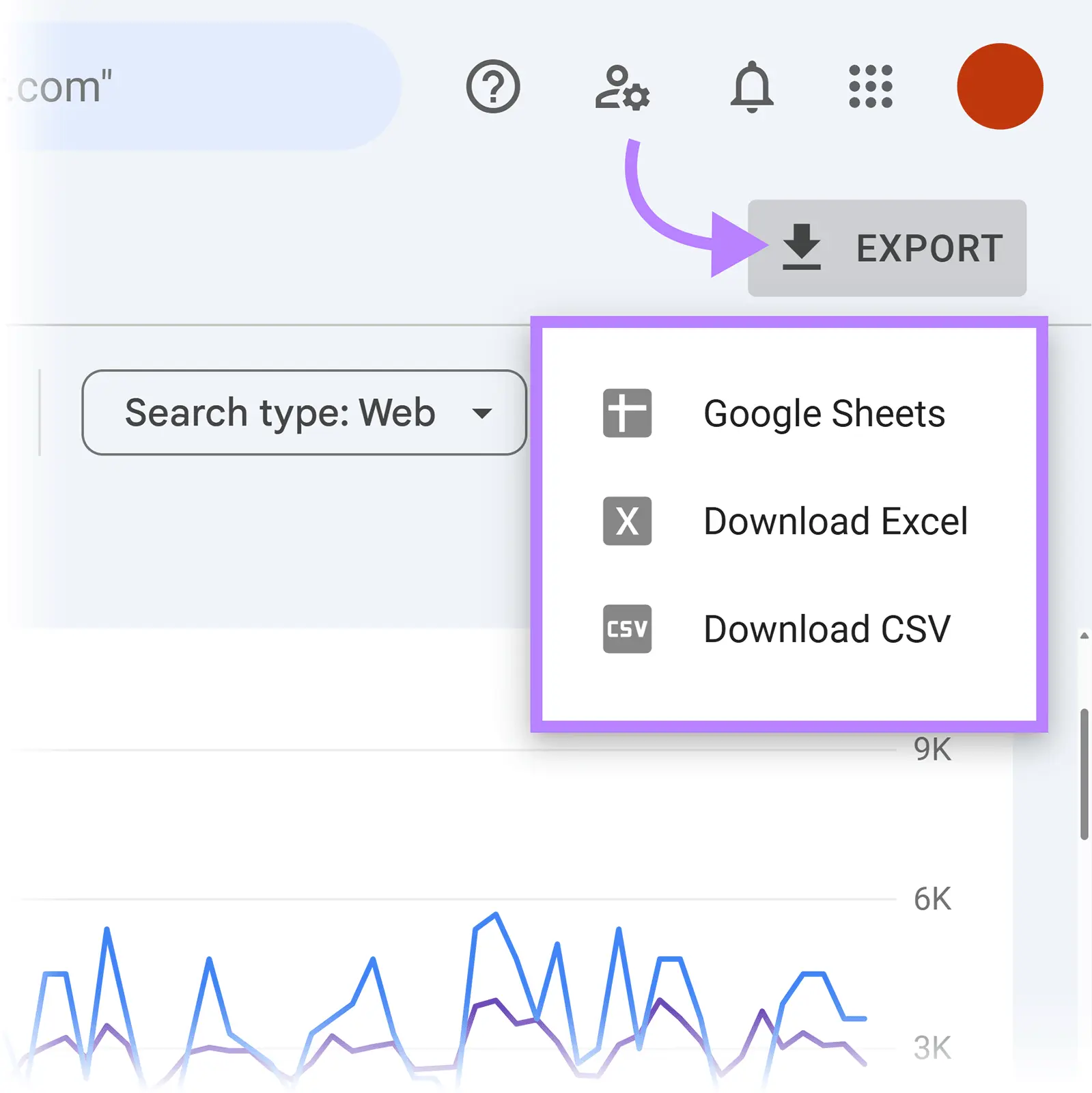
Once you’ve identified your high-value keywords, click the Export option to download the data into a spreadsheet. Saving this file on a monthly basis allows you to monitor trends, spot early ranking changes, and measure the impact of SEO updates over time.
Choose Top SEO Agency in Karachi
Contact us now and let's embark on the journey to online success together!