Lookalike Audiences on Snapchat allow advertisers to reach new users who share similar characteristics with their existing audiences. This is especially powerful when scaling marketing campaigns, as it helps you expand reach while maintaining audience relevance. Below is a streamlined process for creating Snapchat Lookalike Audiences efficiently using custom audiences.
Understanding How Snapchat Lookalike Audiences Work
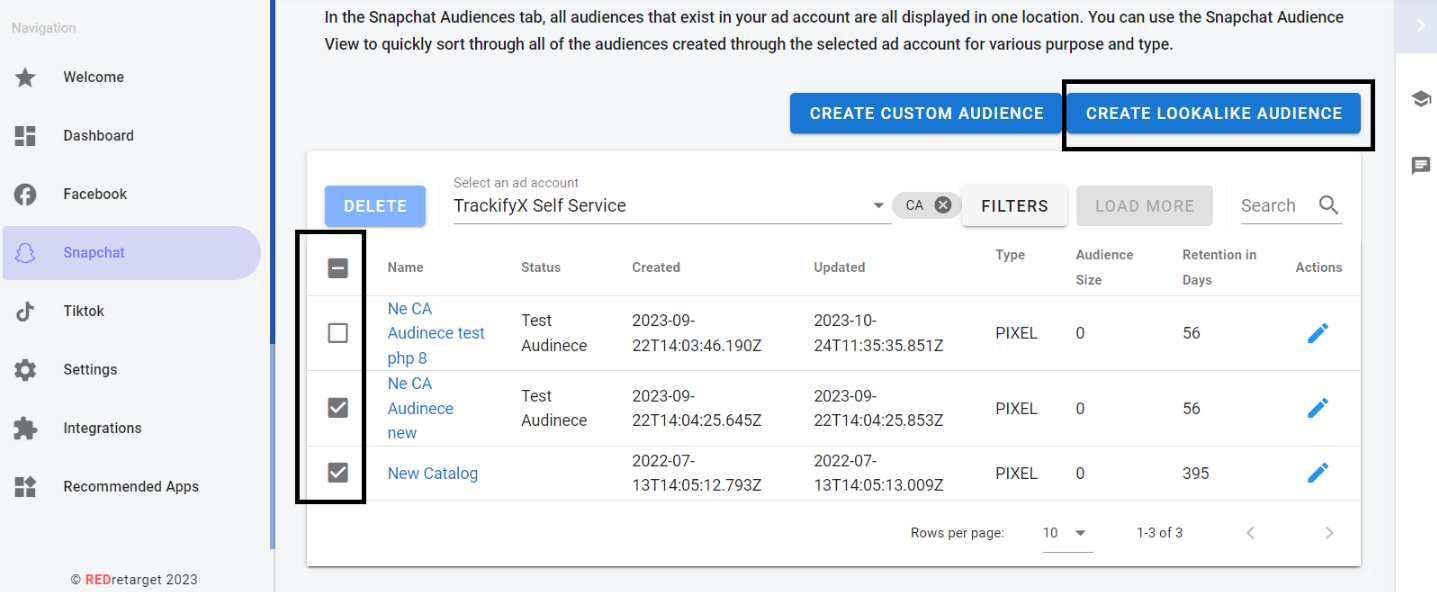
When creating Lookalike Audiences, it’s important to note that selecting multiple Custom Audiences does not merge them into one. Instead, Snapchat generates a separate lookalike audience for each selected source audience. This approach gives you more flexibility when testing performance across different audience segments.
Step 1: Navigate to Audiences in Snapchat
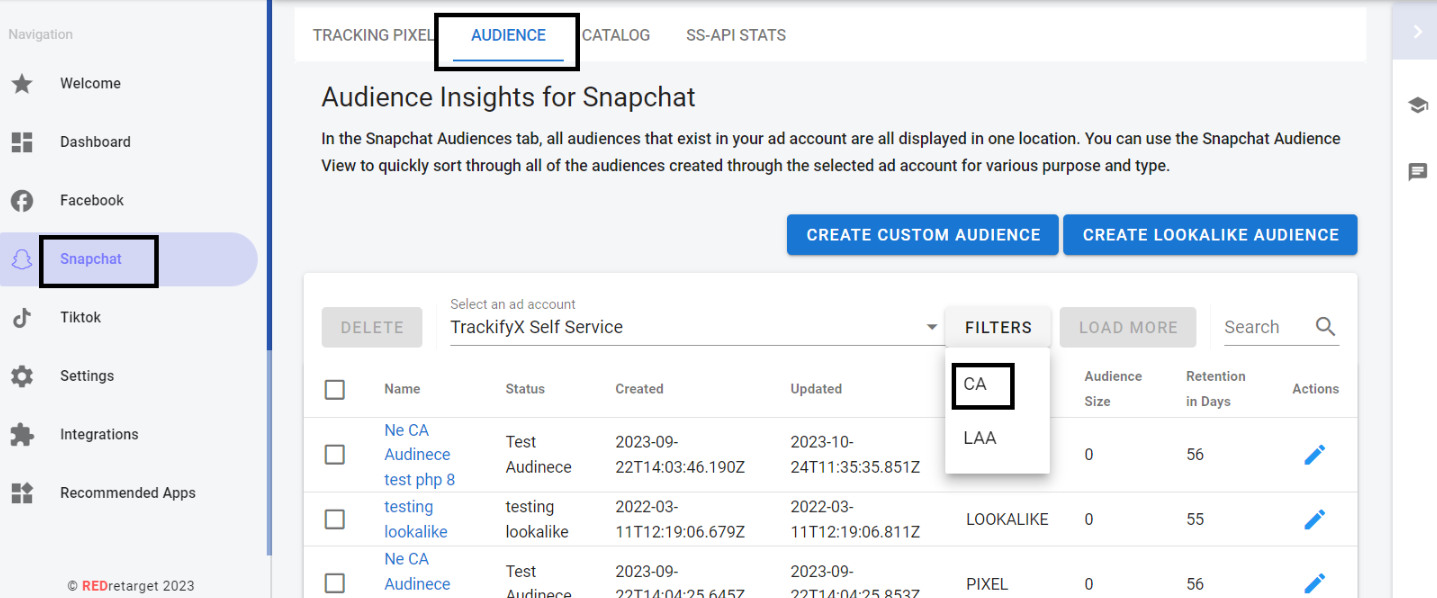
Start by logging into your Snapchat Ads account. From the main dashboard, go to the Audiences section. Use the available filters to locate and select your Custom Audiences (CAs), which will serve as the foundation for your lookalike audiences.
Step 2: Choose the Base Audience and Create Lookalikes
Once your Custom Audiences are selected, set them as the base audience. Click on the option labeled “Create Lookalike From Selected” to begin the setup process.
Choose Top Digital Marketing Agency in Karachi
Contact us now and let's embark on the journey to online success together!
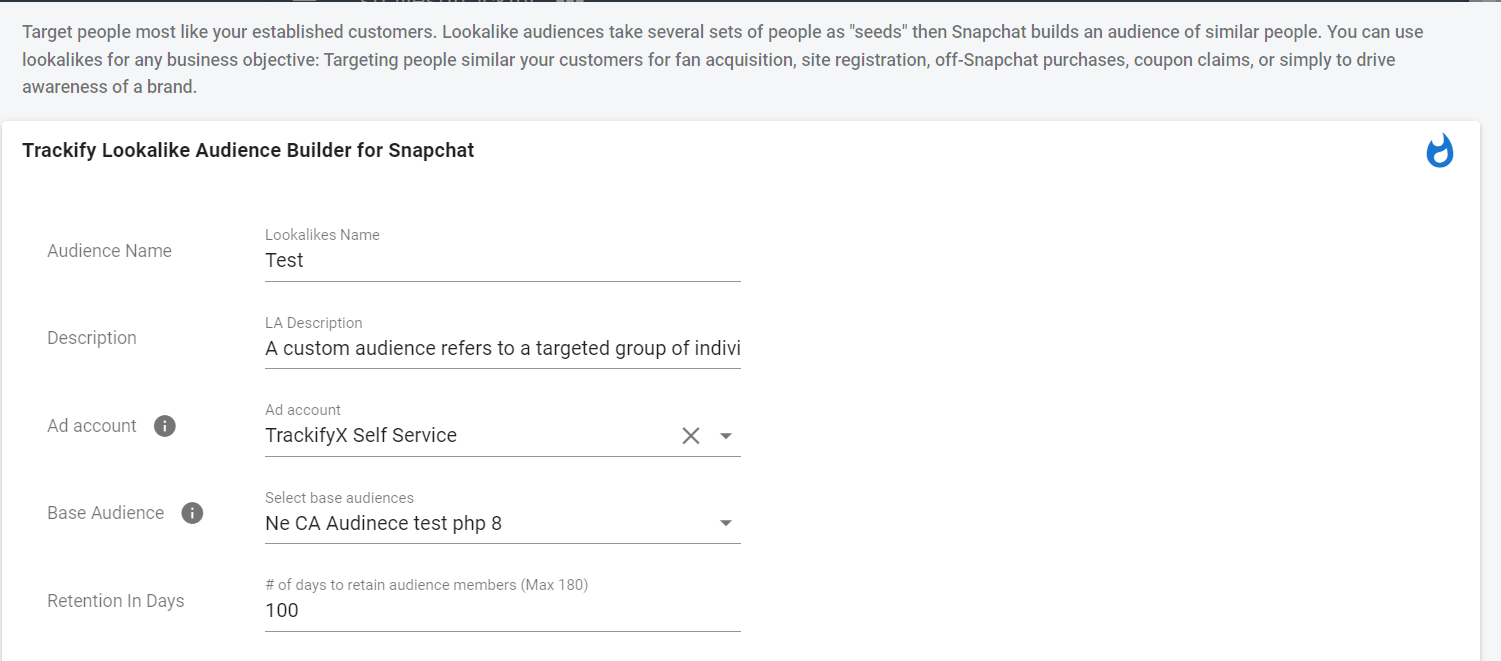
In the setup window, assign a clear and recognizable audience name. Select the ad account where the lookalike will be used and add a brief description to help identify its purpose later.
Choose the relevant base audience, such as a Custom Audience previously created through Trackify. Then define the retention period, which determines how long users remain part of the source audience.
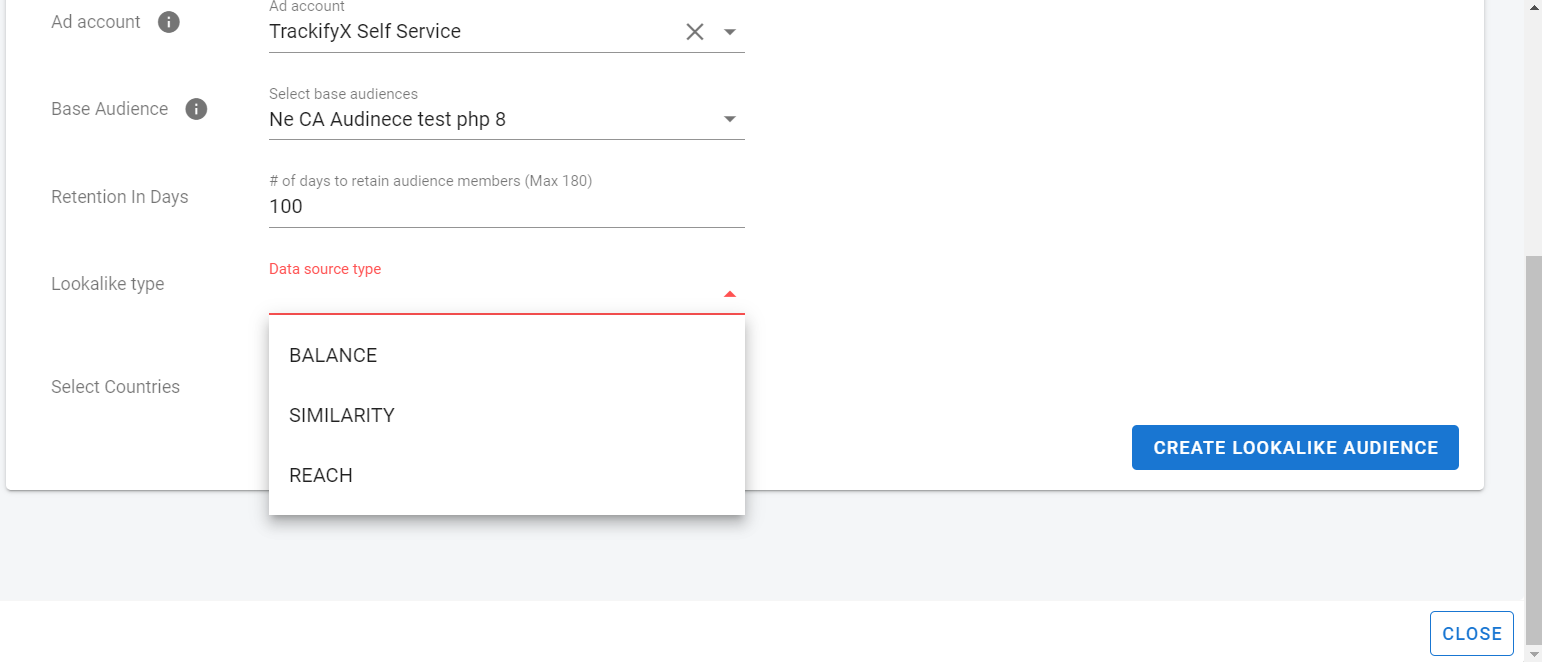
Snapchat offers three different lookalike audience options:
Similarity – Targets users who closely match your source audience
Balance – Provides a mix of similarity and reach
Reach – Focuses on the largest possible audience size
Select the option that aligns best with your campaign objectives. Next, choose the countries where you want your lookalike audience to be active.
Step 4: Create the Lookalike Audience
After reviewing all settings, click Create Lookalike Audience. Snapchat will then begin generating your audience, making it available for use in your ad campaigns once processing is complete.
Choose Top Digital Marketing Agency in Karachi
Contact us now and let's embark on the journey to online success together!