Tracking outbound link clicks helps you understand how users interact with external websites from your own pages. With recent updates in Google Tag Manager (GTM), this process has become much more efficient by using the Auto-Event Variable configuration.
Below is a step-by-step guide to setting it up correctly.
Step 1: Create an Auto-Event Variable
Start by opening Google Tag Manager and navigating to Variables. Scroll down to User-Defined Variables and click New.
When prompted to choose a variable type, select Auto-Event Variable.
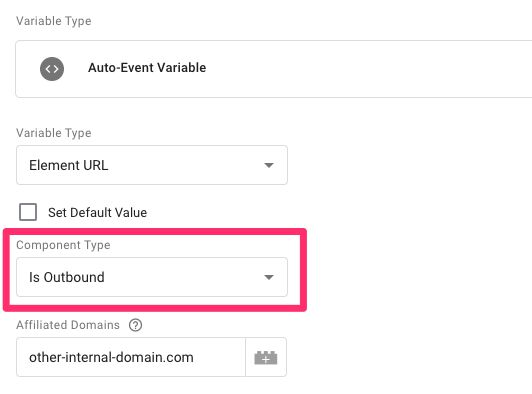
Configure the variable using the following settings:
Variable Type: Element URL
Component Type: Is Outbound
If your website uses multiple domains that should be treated as internal (such as a blog or store hosted on a different domain), add those domains in the Affiliated Domains field. Separate each domain with a comma.
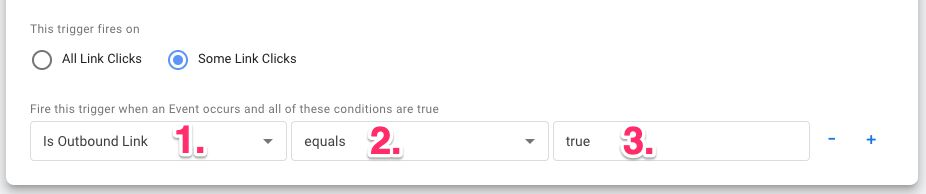
Give the variable a clear name, such as Is Outbound Link, and save it.
Step 2: Create a “Just Links” Trigger
Next, go to the Triggers section in GTM and click New.
Choose Click → Just Links as the trigger type. Enable or disable Wait for Tags and Check Validation based on your tracking requirements. If enabled, ensure the trigger conditions are configured correctly.
Choose Top SEO Agency in Karachi
Contact us now and let's embark on the journey to online success together!